Find a useful place to start
Recognise everyday tasks where Copilot can help, including drafting, summarising, comparing information, and preparing for conversations. Connect the examples to your own work and identify a sensible first task to try.
Help your team move from having Copilot to using it well.
A practical, one-hour session delivered live on Microsoft Teams. Give your people a clear starting point for everyday Copilot tasks, better prompts, and thoughtful review of AI-generated work.
Designed for organisations whose people have premium access to Microsoft Copilot and want a practical introduction to using it at work.
Having access to Copilot does not automatically make it useful. People need to recognise where it can help, explain what they need, and judge whether the response is good enough to use.
Copilot Foundations gives your team a shared starting point. Through workplace examples and live demonstrations, participants explore how to approach a task, improve a prompt, and check the result.
The focus is on habits they can continue practising in their own work: providing useful context, asking clear questions, checking important claims, and applying their own expertise.
Recognise everyday tasks where Copilot can help, including drafting, summarising, comparing information, and preparing for conversations. Connect the examples to your own work and identify a sensible first task to try.
Use four practical prompt elements: goal, context, source, and expectations. Explain what you want to achieve, supply relevant information, and describe the response you need. Refine the prompt when the first answer misses the mark.
Bring your role, audience, and organisational context into the conversation. Learn how to guide the tone, level of detail, and format so the output is more useful for the task in front of you.
Look for unsupported claims, missing context, and assumptions. Check important information against reliable sources and decide what needs changing. Keep human judgement, cultural context, confidentiality, and accountability central to how you use the result.
Copilot Foundations is suitable for people beginning to use Copilot across different roles, including leaders, managers, advisers, project teams, and communications teams. No advanced AI knowledge is required.
The session combines live demonstrations, relevant workplace scenarios, and opportunities to ask questions. Each participant joins Microsoft Teams individually from their own computer at their usual workspace, whether in the office or working remotely. This allows everyone to follow along in Copilot, raise their hand, and ask questions directly.
Examples and emphasis can be aligned with your organisation’s priorities and internal AI guidance, with any tailoring agreed before delivery.
The features available to participants depend on their organisation’s access and settings. We confirm the intended audience and participation requirements when scoping the session.
Every participant must have premium access to Microsoft Copilot through their organisation before attending. The free version is not suitable for this session.
Your organisation is responsible for arranging that access. Cloverbase does not provide Copilot access or licences.
Participants should also be able to join Microsoft Teams and follow their organisation’s policies for using AI and handling workplace information.
Each participant needs their own computer and individual Microsoft Teams connection, with audio they can hear clearly and a microphone for asking questions. Please join from a workspace where you can participate and use Copilot throughout the session. Headphones are recommended in shared workspaces.
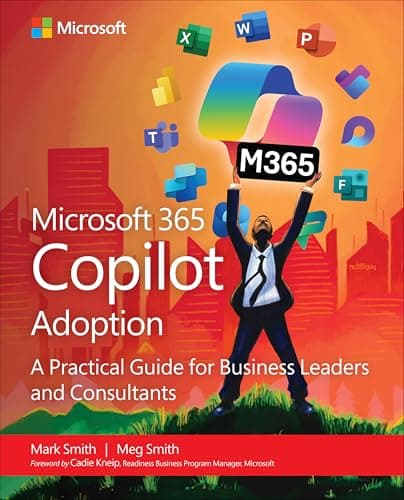
Cloverbase co-founders Mark and Meg Smith are the authors of Microsoft 365 Copilot Adoption: A practical guide for business leaders and consultants, published by Microsoft Press.
The book examines what it takes to move Copilot into everyday use: preparing an organisation, supporting people through change, developing practical skills, and sustaining adoption.
Copilot Foundations brings that practical adoption perspective into a focused session for your team. We connect the technology with the work people already do, helping them begin with clearer prompts, useful tasks, and sound judgement.

Primary facilitator · Copilot Foundations
Meg is the primary facilitator for Copilot Foundations. She helps people develop the skills and confidence to use Microsoft Copilot in their everyday work, connecting live demonstrations with practical tasks and questions from the team.
Her experience spans technology adoption, learning and organisational change, with practice grounded in Prosci methodology. Meg co-authored Microsoft 365 Copilot Adoption with Mark Smith, published by Microsoft Press.
No. This is a practical introduction for people using Copilot in their everyday work. It does not cover technical deployment, system integration, or setting up your organisation’s access.
Please arrange for each participant to join individually from their own computer at their usual workspace. Remote workers can join from wherever they normally work.
A group gathered around a shared screen or a single Teams connection is not suitable for this session. Everyone needs direct access to Copilot and their own Teams controls so they can follow along, raise their hand, and ask questions individually.
No. Every participant needs premium access to Microsoft Copilot through their organisation before attending. Cloverbase does not supply access or licences.
Yes. We can align examples and emphasis with your audience, priorities, and internal AI guidance. The extent of any tailoring and its cost are agreed before booking.
Recording is by prior agreement, subject to participant consent and your organisation’s policies. Any agreed recording is for your organisation’s internal use. Recording and access arrangements are confirmed before delivery.
Copilot Foundations starts from $700 plus applicable taxes. The final fee depends on your audience and any agreed tailoring. We confirm the scope and total price before you book.
No. Copilot Foundations can be booked as a standalone session. If your organisation wants further support afterwards, we can discuss what would be useful and agree that work separately.
Tell us who the session is for, how your people currently use Copilot, and what you would like them to do with it. Sessions start from $700 plus applicable taxes. We will confirm the audience, premium access requirements, scope, total price, and delivery arrangements before you book.
Enquire about Copilot Foundations